


A factory reset, sometimes called a hard reset or a master reset, will remove all personal information, changes, and data from your device, returning it to the same settings and data that it had when it left the factory.
There are three main ways to perform a factory reset: via the Settings menu, using the buttons on your device or by using the SmartThings Find service.
To carry out a factory reset you will have to enter your PIN, password, or unlock pattern.
You will also need to ensure that your device is connected to a Wi-Fi connection before you can perform a factory reset.
A soft reset is performed by turning a device on and off again. This will close any open applications and clear the memory of the device. Long term hard drive data is unaffected.
A hard reset is performed by completely resetting a device to its factory settings. Performing this kind of reset will permanently erase all the data on the device.
To perform a soft reset:
 Tap the Power button
There are three main ways to perform a factory reset: via the Settings menu, using the buttons on your device or by using the SmartThings Find service.
To carry out a factory reset you will have to enter your PIN, password, or unlock pattern.
You will also need to ensure that your device is connected to a Wi-Fi connection before you can perform a factory reset.
A soft reset is performed by turning a device on and off again. This will close any open applications and clear the memory of the device. Long term hard drive data is unaffected.
A hard reset is performed by completely resetting a device to its factory settings. Performing this kind of reset will permanently erase all the data on the device.
To perform a soft reset:
1
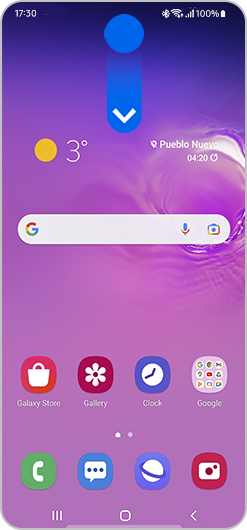
Swipe down from the top of the screen with two fingers to reveal the Quick settings panel3
Tap Power off